
Taxes outside the United States: VAT goes inside the price, and the tax form is signed once
If your business is in Venezuela, Colombia, or any country outside the United States, here is what you need to know: who sells to whom, why VAT goes inside your price, how to break it down when the money arrives, and which form you sign to get paid. With screenshots from the dashboard.
In one line
Mercatren LLC is a U.S. company that BUYS the merchandise from you and pays you in dollars. Your country's taxes —VAT— are yours: they go INSIDE the price you enter, and you break them out there when the money arrives. Mercatren does not add them, does not charge them separately, and does not file them for you.
Who sells to whom (and why it matters for VAT)
Every Mercatren sale is two transactions, not one. The buyer in the United States pays Mercatren LLC the published price. Mercatren LLC buys that merchandise from you —it issues a purchase order in its own name— and you deliver it to the designated person in your country. You invoice Mercatren LLC, not the person who picks it up.
- On paper, your customer is Mercatren LLC: a company from Michigan, United States.
- The invoice to the buyer is issued by Mercatren under U.S. law. Your VAT does not exist there: it cannot appear as a line item, which is why there is no —and will be no— “charge VAT” button.
- What you report in your country is YOUR sale to Mercatren, for the exact amount of each purchase order.
Why VAT goes inside the price
In your dashboard, the price you enter on each product is “what you want to receive.” The system adds its adjustment and publishes the total; you receive exactly what you entered. If your country requires VAT on what you sell, that VAT has to be inside that number: it is the only way it reaches you.
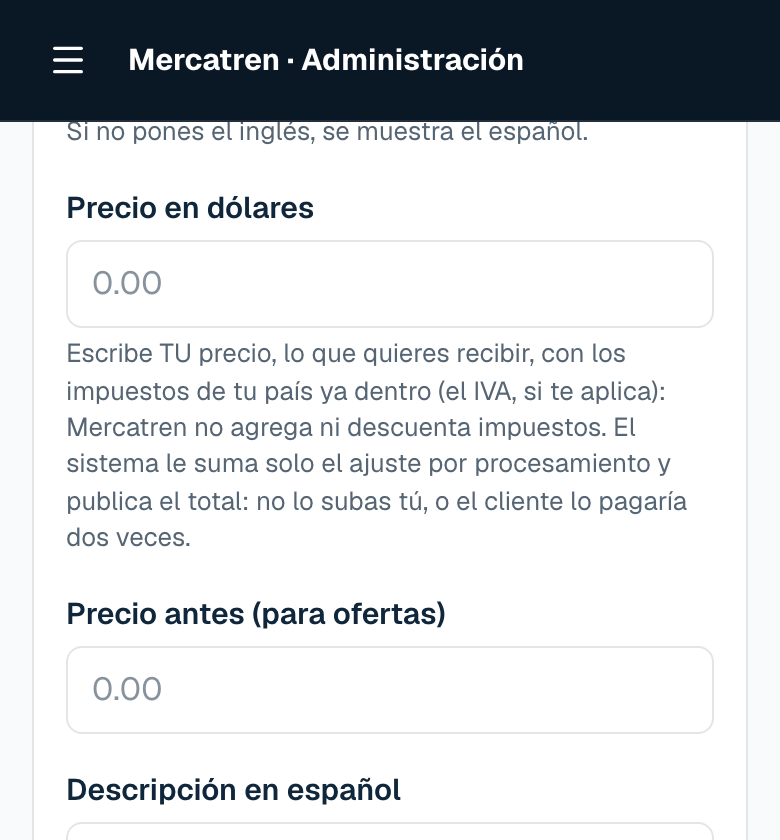
Don't charge it twice
Don't ask the buyer to pay VAT separately, and don't ask us to add it at the end: the price already carries it. And don't raise it yourself on top of the system's adjustment, which is also already inside.
| What you enter as the price | What we pay you | How your accountant breaks it down (16 % VAT) |
|---|---|---|
| $116.00 | $116.00 | Base $100.00 + VAT $16.00 |
| $100.00 | $100.00 | Base $86.21 + VAT $13.79 |
How to break it down when the money arrives
- 1
Open the purchase order for each sale
Dashboard → Money → “My invoices to Mercatren.” There, sale by sale, is the exact amount Mercatren LLC buys from you. That is the number you report.
- 2
Issue your invoice to Mercatren for that amount
With your company's tax details —the same ones you entered in “My store”— and in the name of Mercatren LLC. Your accountant splits base + VAT at the rate that applies to you.
- 3
Request your payout whenever you want
What lands in your bank is that same money. If your accountant asks for the detail, Orders and Payments both have a button to download your sales to Excel.
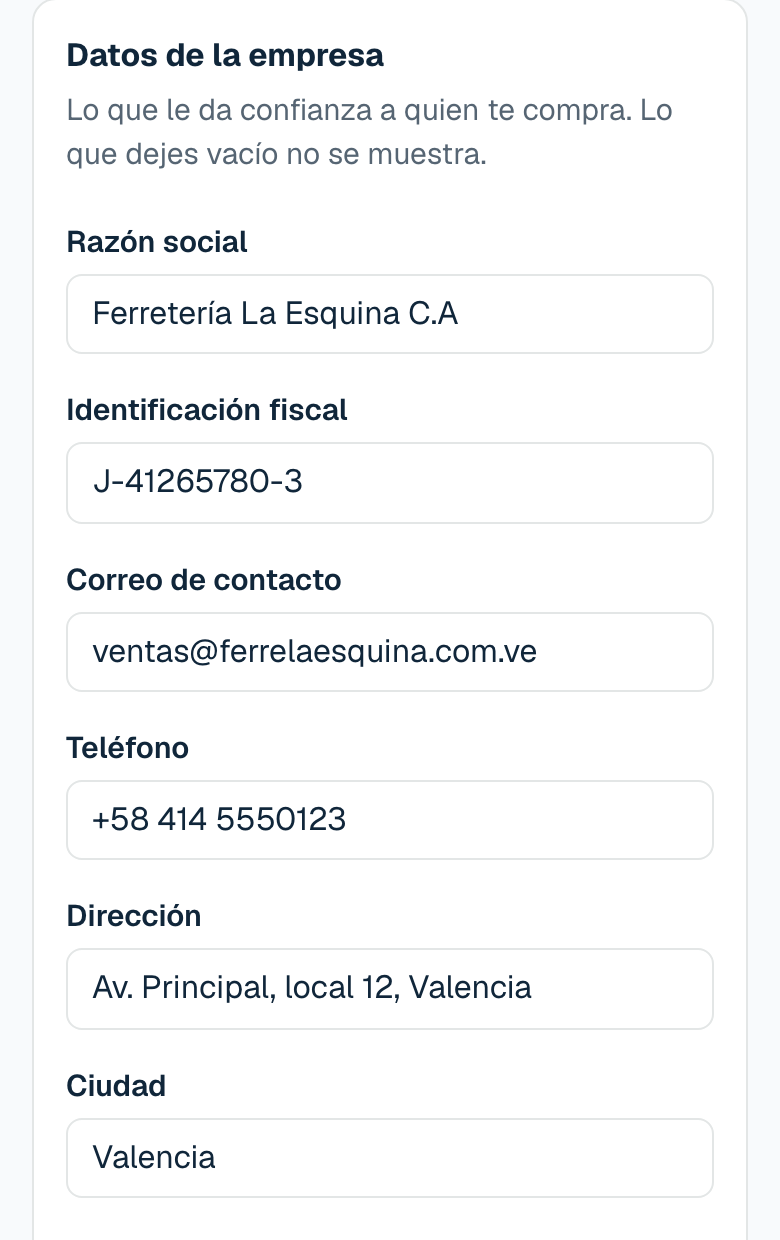
The U.S. tax form (W-8BEN-E): signed once
You are receiving money from a U.S. company. Without that form, Mercatren LLC would have to withhold part of what it pays you; with it, you get paid in full. And since the merchandise is delivered in your country, that income is not taxed in the United States: the form is what puts it in writing. You fill it out in Spanish, inside your dashboard, and it is valid for three years. Without it you cannot request payouts.
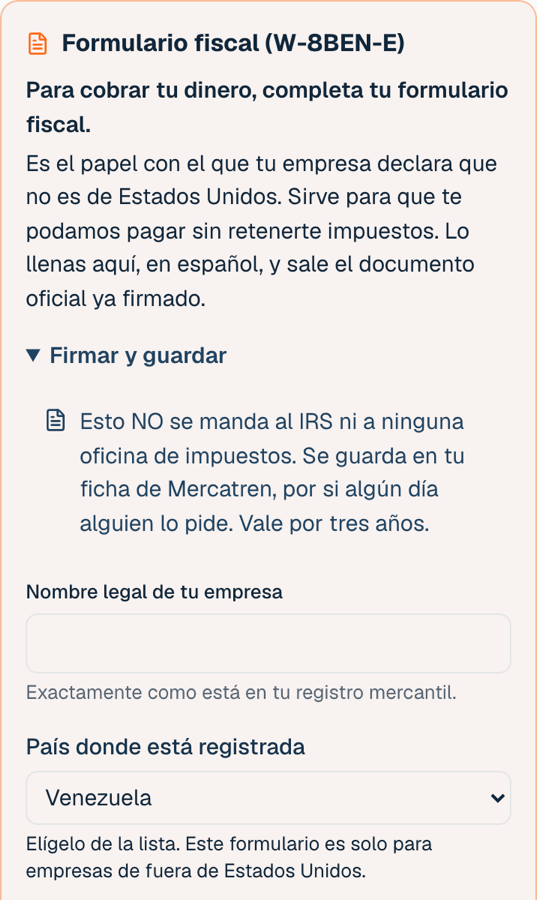
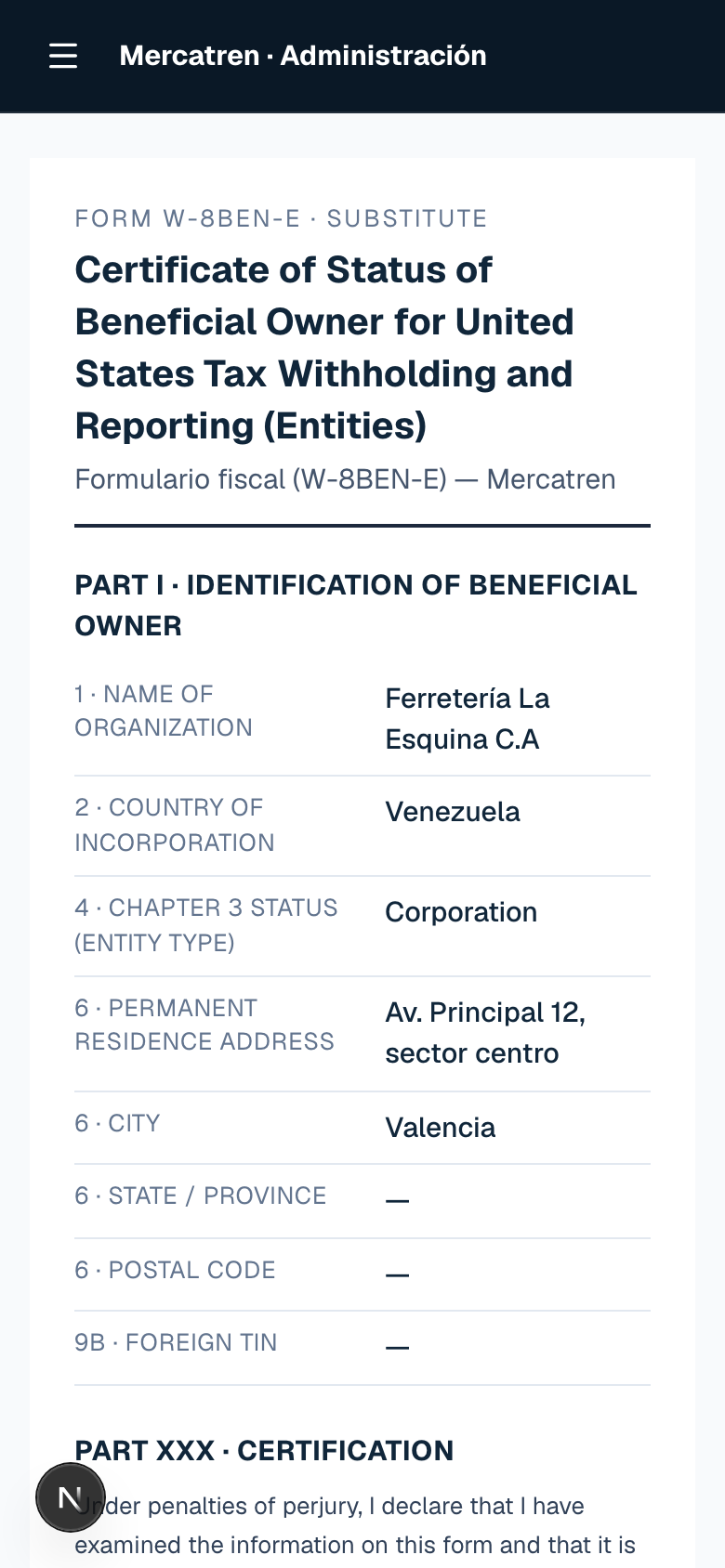
How to fill out the W-8BEN-E step by step
That form is NOT a tax return
It does not go to the IRS or to your country's tax office. It is stored in your Mercatren profile in case a bank or an accountant asks for it. You are not filing anything in the United States by signing it.
In short: what you do and what we do
| What | Who |
|---|---|
| Set each product's price with your taxes already inside | You |
| Charge the buyer in the United States and issue their invoice | Mercatren |
| Buy the merchandise from you, with a purchase order in the name of Mercatren LLC | Mercatren |
| Invoice Mercatren and report your sale in your country | You, with your accountant |
| Sign the W-8BEN-E | You, once every three years |
| Add, charge separately, or file your country's VAT | Nobody: it does not exist in Mercatren |
This explains how Mercatren works; it is not tax advice
How you report in your country is up to your accountant, with your records. If they have questions about the model, send them this page or write to us.